Instagram Accessibility
<ROLE>
UI/UX Designer
Front-end Developer
<TIMELINE>
From August 2023
From December 2023
<TEAM>
Solo project
<TOOLS>
Figma, Visual Studio Code,
HTML, CSS, REST APIs

< TL;DR >

Overview

Instagram has become one of the most essential photo-sharing platforms today. However, Instagram's current alt text feature is hidden and inconsistently used, limiting accessibility for people with visual impairments.

This project aims to improve the visibility and accessibility of alt text, while providing AI support to help users write more effective descriptions by applying an inclusive design spectrum.

The redesigned flow reduces steps by 20% and strengthens accessibility without increasing cognitive load.
Final Solution

Main Feed
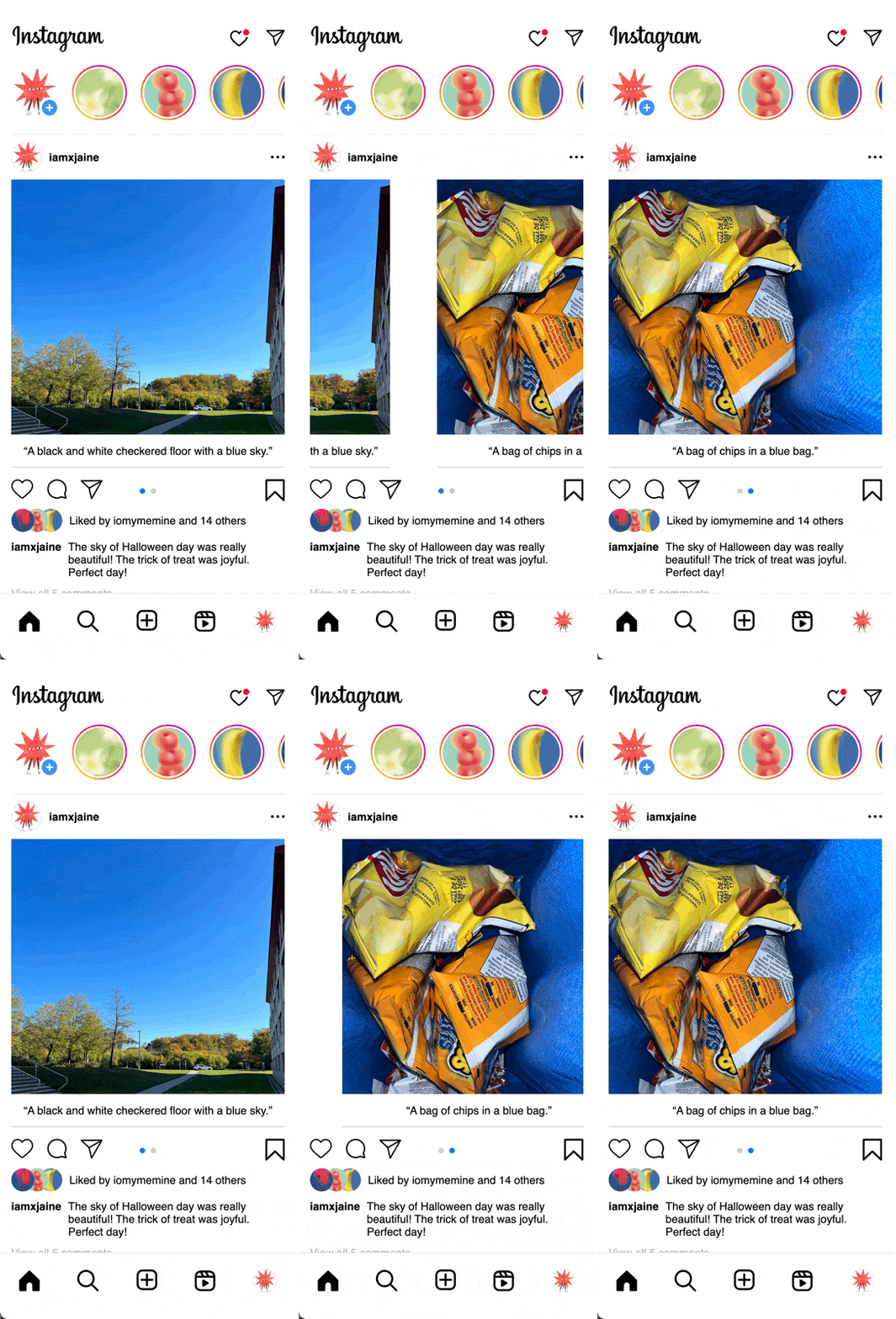
Surface alt text directly below each photo for immediate access.


Photo Selection
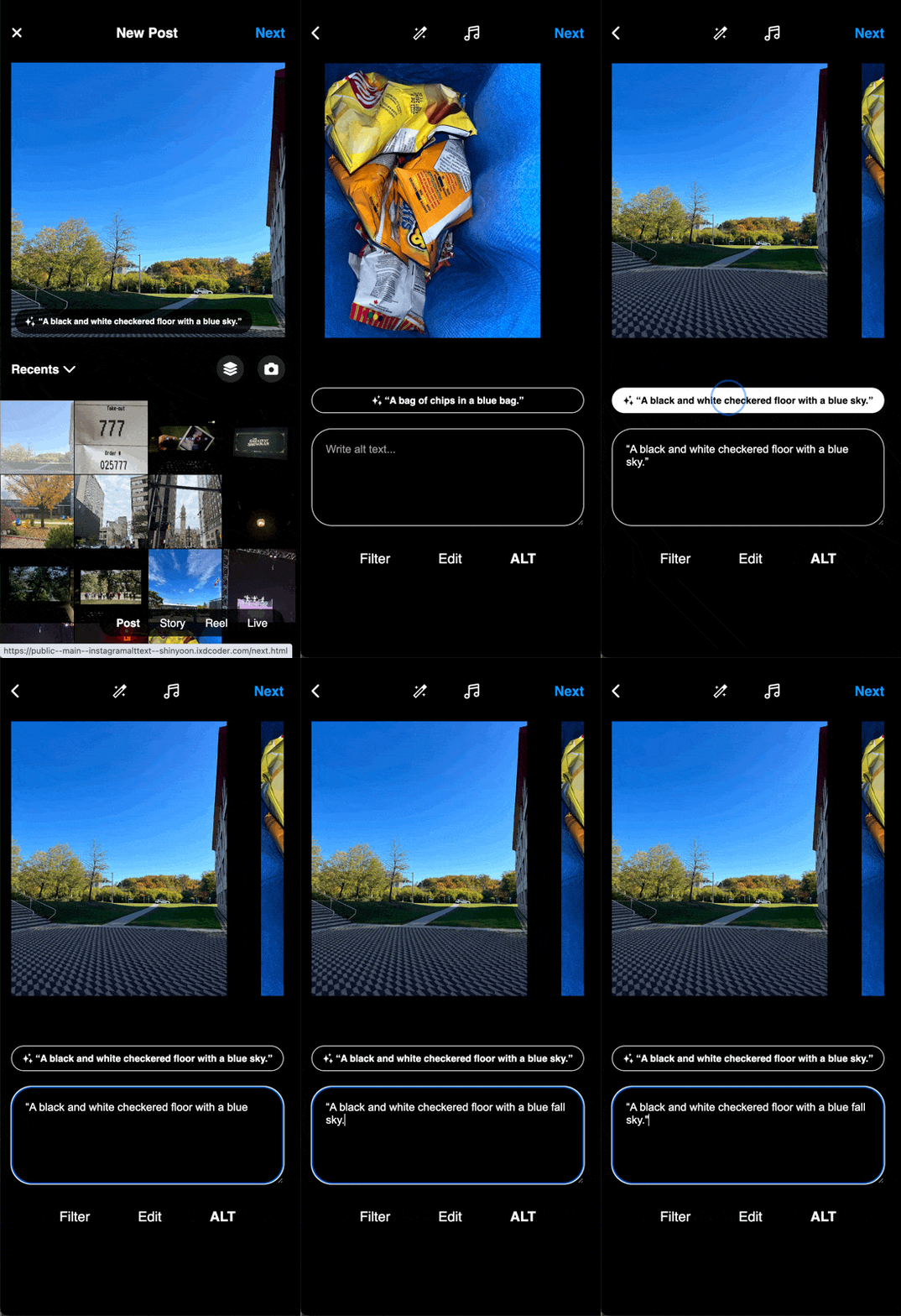
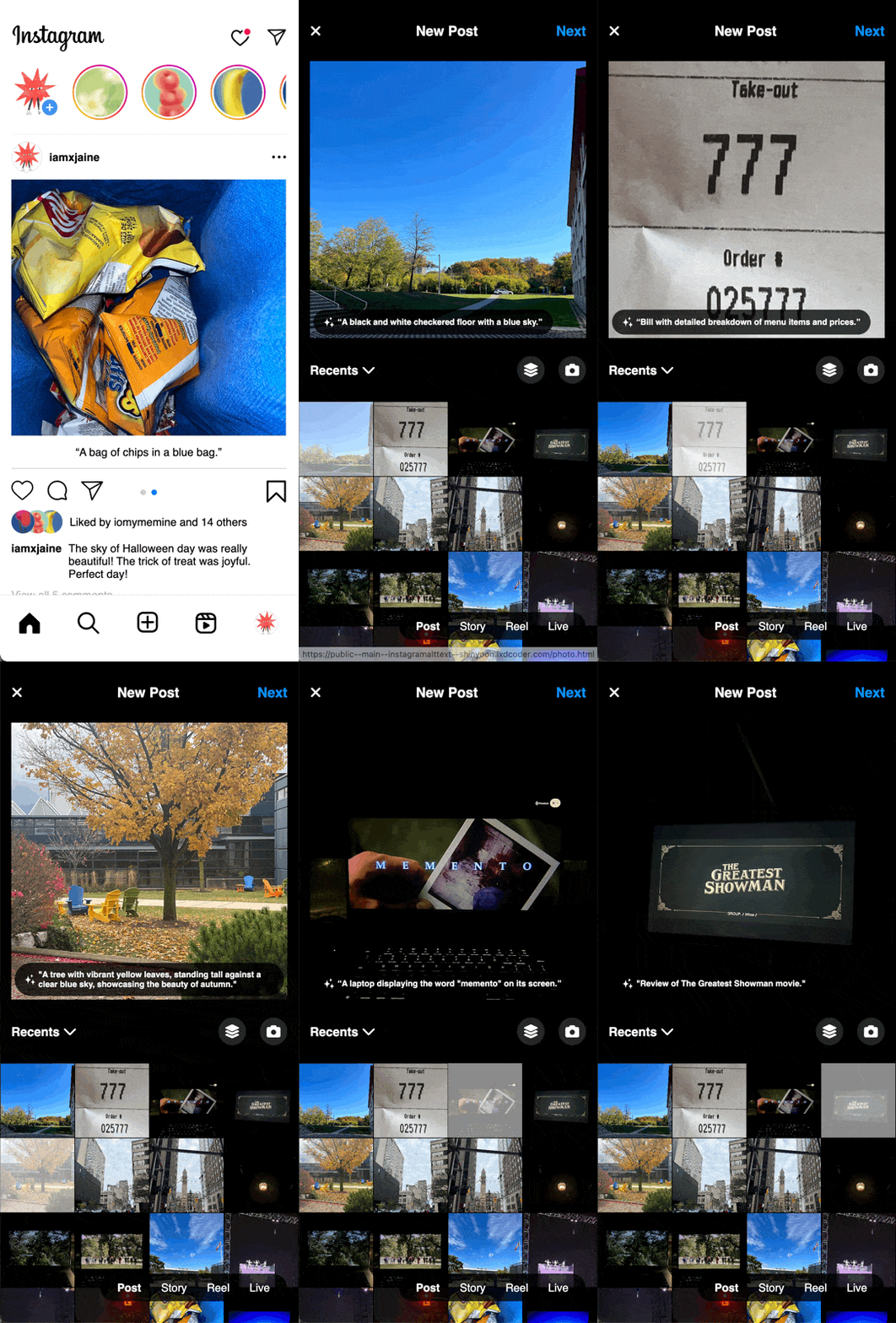
Provide AI-generated descriptions to support image understanding during selection.


Add & Edit Alt Text
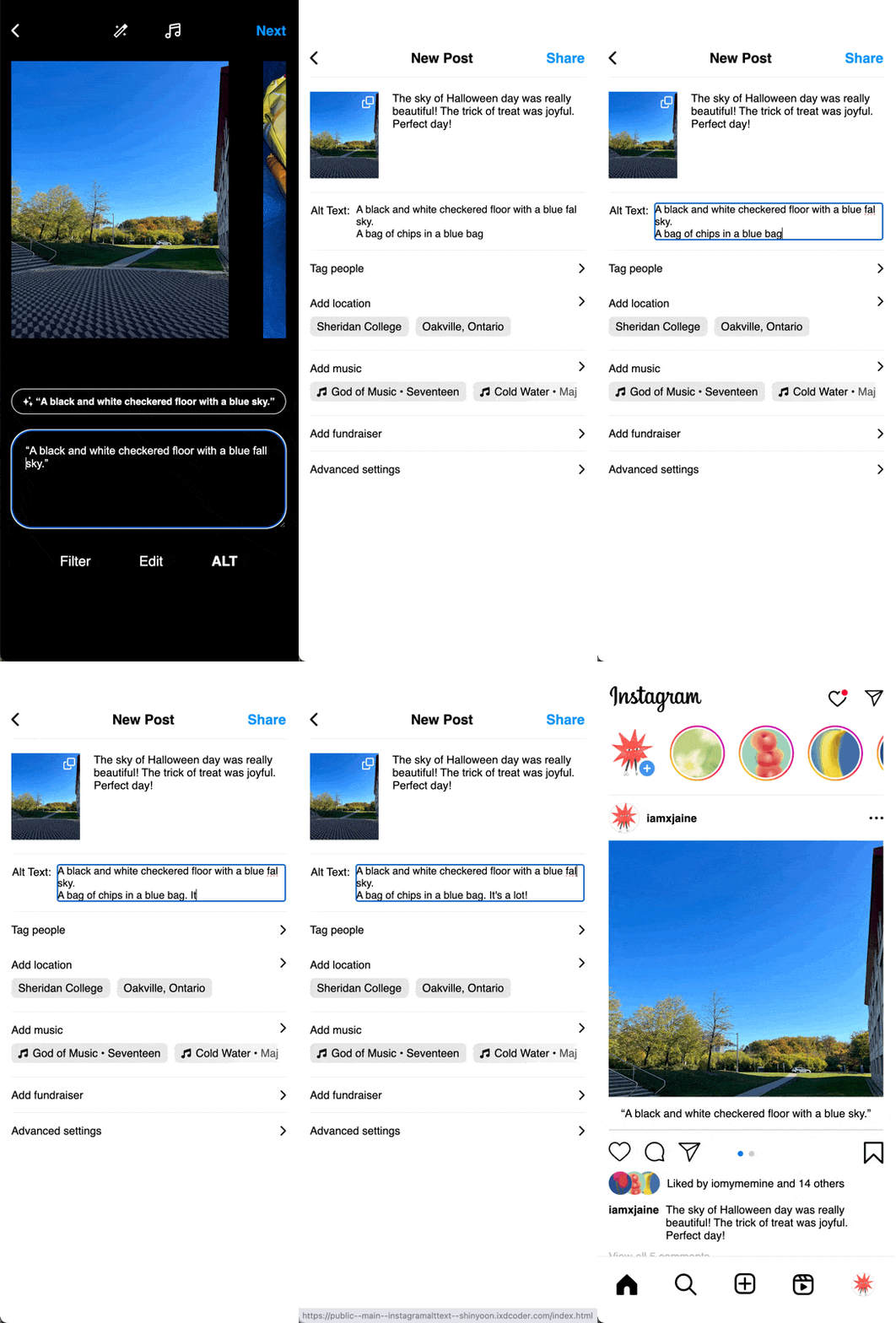
Relocate the alt text feature to the Filter & Edit stage, with AI-generated text as the default and easy manual editing available.

solution
solution
solution
solution

< PROBLEM >

Problem

Post, Story, Reels…

I love scrolling through Instagram —
it's all about the visuals.

But what about the others?
What about those who can't see the feed?


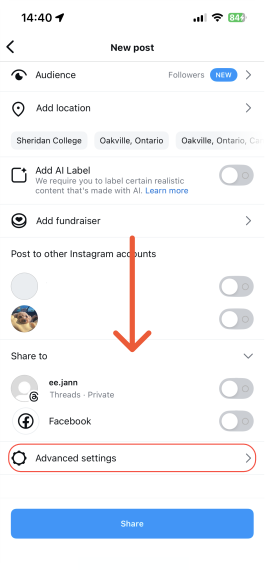
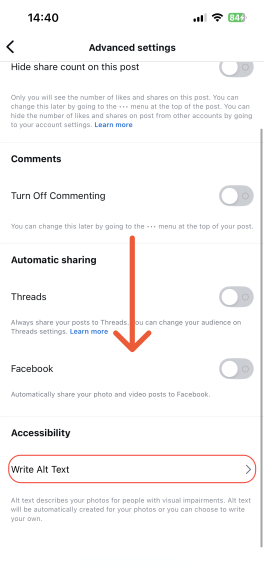
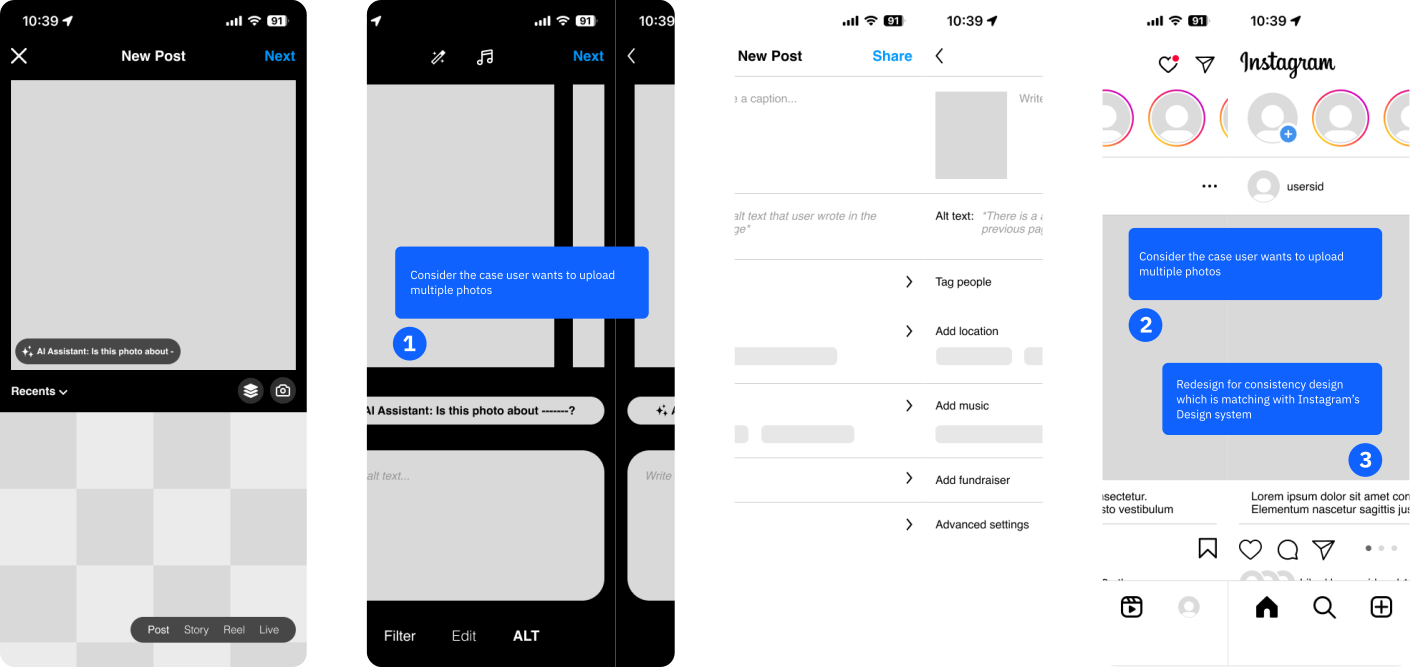
Through heuristic evaluation, I found that the alt text button* was notably difficult to locate.

It was hidden in a non-intuitive place, creating a barrier not only for people with visual impairments, but also for general users who want to provide accessible content.

* based on the 2023 Instagram interface

problem
problem
problem
problem
1. General User

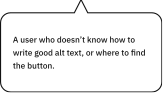
Users struggle to find the option to add alt text, as it's hidden at the bottom of the advanced settings page, making it easy to miss.

2. Users with visual impairments

Users with visual impairments report that many posts lack sufficient alt text, leaving them to rely entirely on whether others have provided it.

Research insights

0%

Users struggle to find the alt text option

0%

Visually impaired users are dissatisfied with inaccurate
auto-generated descriptions

#0 / 5

Instagram ranked lowest in accessibility among competitors

Methodology: Heuristic Evaluation, Reddit Analysis (60+ comments), Competitor Audit

Additionally, 15% of users said they were unsure how to properly write alt text, and 23% of visually impaired users struggle with Instagram due to missing user-generated descriptions. Some participants also mentioned that this is one of the reasons why users with visual impairments avoid using Instagram or feel dissatisfied with the platform.

The alt text feature is difficult to find and lacks clear writing guidance.

Current auto-generated descriptions are often inaccurate or insufficient.

< CHALLENGE >

The challenge wasn’t just improving accessibility. Instagram’s posting flow is built to be fast and frictionless, so any added step could easily create friction. I needed to improve accessibility without making the experience feel heavier or more complicated.

HOW MIGHT WE...

Make the alt text feature more visible and easier to use,
while keeping Instagram’s fast and simple posting flow?

To address this, I explored integrating AI support into the alt text flow to reduce cognitive load while improving overall accessibility.

User Understanding

Through persona development, context scenarios, and empathy mapping, I identified two primary user groups.

01. GENERAL USERS

Hidden & Complex

Often unaware of where the alt text feature is located. Even when they intend to use accessibility features, the hidden interface and multi-step process discourage engagement.

02. VISUALLY IMPAIRED

Inconsistent Experience

Rely heavily on descriptive metadata to understand visual content. However, inconsistent alt text availability and limited visibility of accessibility tools reduce their overall experience and trust in the platform.

Design principles

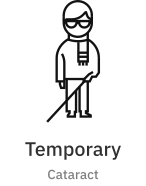
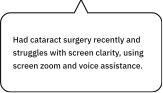
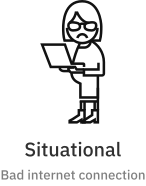
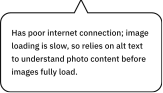
Instead of focusing only on permanent disability, I approached accessibility through an inclusive design spectrum to ensure broader usability impact. It helped to define user’s final goal, and design principles depending on the situations.

permanent Userpermanent Bubble
Star Icon

Consider screen reader compatibility

temporary Usertemporary Bubble
Star Icon

Ensure usability with screen zoom & voice assistance

situational Usersituational Bubble
Star Icon

Make the alt text option more visible and accessible

general Usergeneral Bubble
Star Icon

Use AI to help users write better alt text

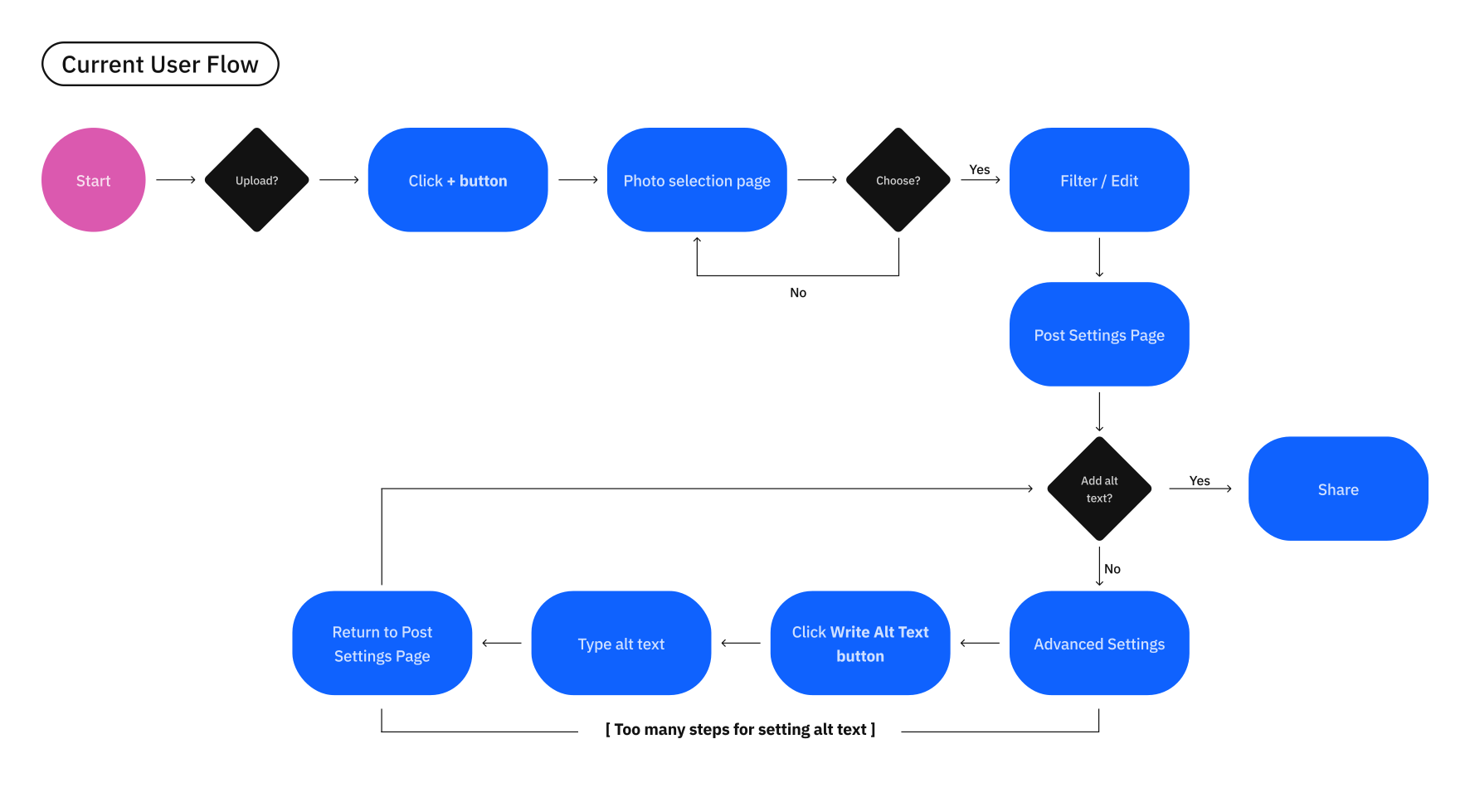
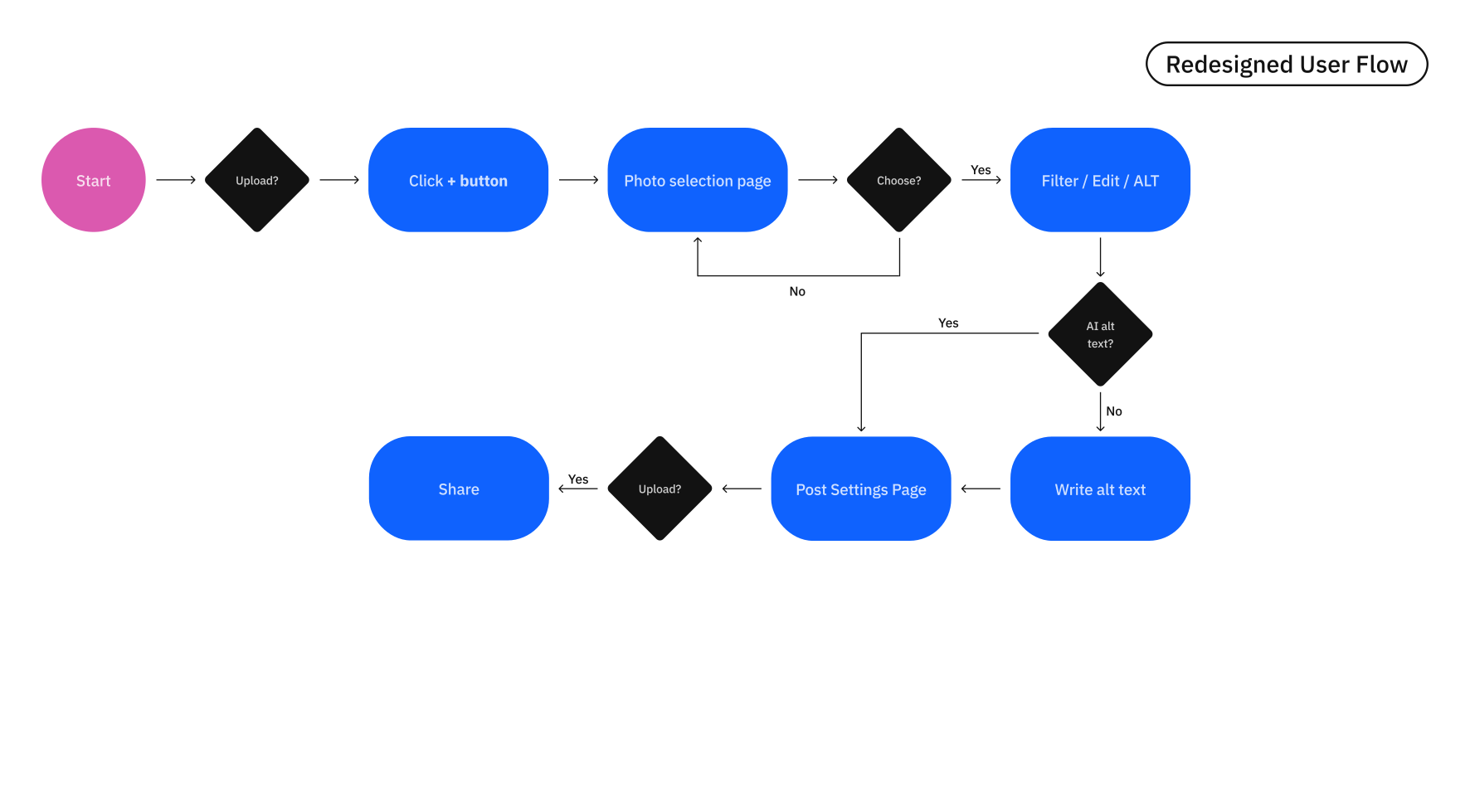
User flow

I redesigned user flow to cut down 20% fewer steps and increases efficiency by 20%.

Before
Before

Figma Prototyping

Figma Prototype

Development

development

For development phase, I used HTML, CSS, and Javascript, and used Educative.io API to implement the voiceover function.

< SOLUTION >

Star Icon

Make the alt text option more visible and accessible

Main Feed

In the main feed, the ALT text box is positioned below each photo. When a user clicks on a photo, VoiceOver reads the ALT text.

Main Feed
Star Icon

Ensure usability with screen zoom & voice assistance

Pick a Photo

When a photo is clicked, VoiceOver reads the AI-generated alt text to support users with temporary or situational needs.

Main Feed
Star Icon

Use AI to help users write better alt text

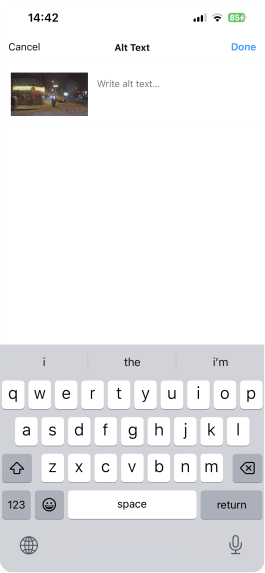
Add alt text

Alt text button has been moved to the Filter/Edit page. An AI suggestion box helps users write alt text more easily, or they can skip it and apply the AI-generated description automatically.

Main Feed
Star Icon

Consider screen reader compatibility

Edit alt text

Users can review their ALT text before uploading the photo. Since screen readers typically read from the top, the ALT text is placed below the caption for better accessibility.

Main Feed

< REFLECTION >

Impact & Expected Metrics

As this was an academic project with time constraints, formal usability testing on the final solution was not conducted. However, I defined the following success metrics based on my initial hypotheses.

20% ↑

Usability & Efficiency

By integrating alt text directly into the posting flow and reducing the steps by 20%, the process becomes smoother and more intuitive.

AI-assisted descriptions also help ensure accessibility information is included, even when users skip manual input.

High

User Satisfaction

By moving the accessibility feature from hidden settings into a more visible and guided interface, I made it easier for general users to participate in creating inclusive content.

As a result, screen reader users can receive more consistent and meaningful descriptions, helping them better understand visual posts and navigate the platform with greater confidence.

Future Opportunities

1

Expanding Formats

The current solution focuses on feed posts. As a next step, I would adapt the AI-guided alt text system to Stories and Reels to create a more consistent accessibility experience across the platform.

2

Real-user Testing

Since this project was based on heuristic evaluation and research, the next step would be usability testing with real screen reader users (e.g., VoiceOver, TalkBack) to refine the interface based on real interaction patterns.

3

AI Refinement

I would also work on improving AI description accuracy while designing simple ways for users to review and edit suggestions, keeping users in control of the final output.

Takeaways & Reflection

From Sympathy to Inclusive Thinking

I learned that accessibility isn’t about building a separate solution for a minority, but about designing systems that work better for everyone.

Designing Within Real Constraints

I learned to balance complex accessibility requirements with Instagram's core value of speed and simplicity.

Connecting Design with Technical Reality

Understanding how screen readers interpret metadata helped me design a structure that is both visually clear and technically feasible.